
DATA CENTERS
How to Become a Data Center Technician
A practical roadmap for learning servers, racks, copper and fiber cabling, network fundamentals, safety, tickets, hardware troubleshooting, and disciplined escalation.
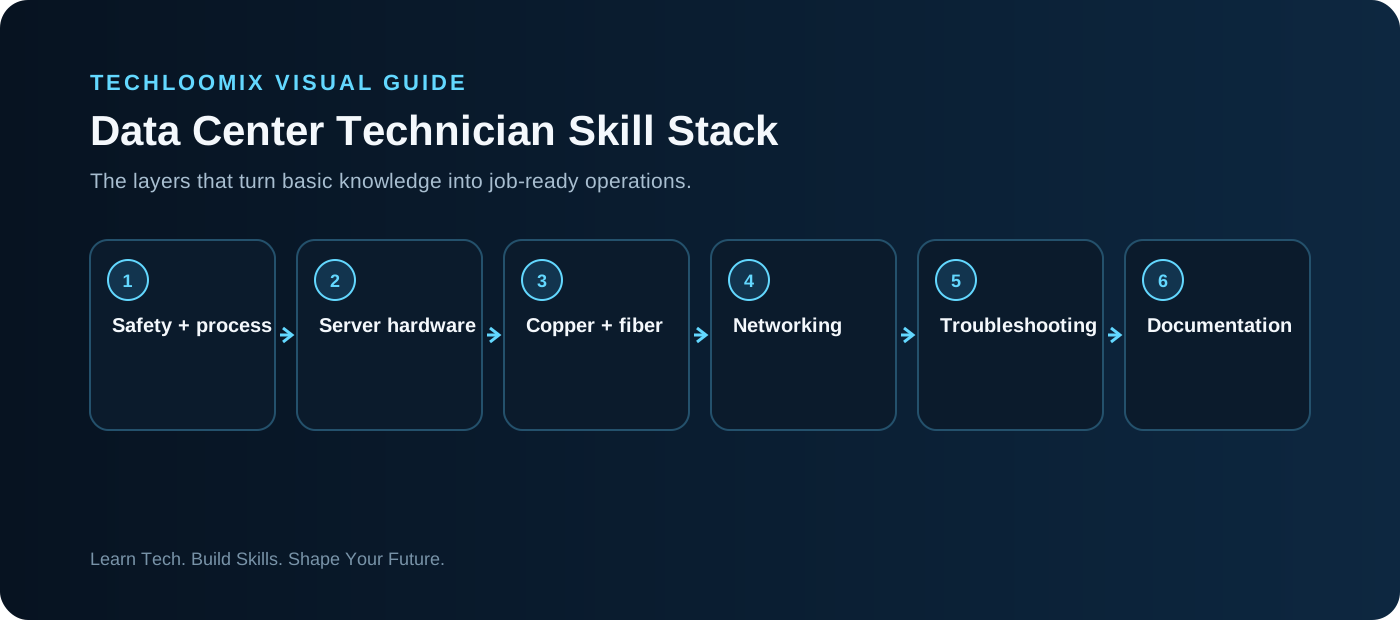
THE TECHNICIAN SKILL STACK
Understand the environment
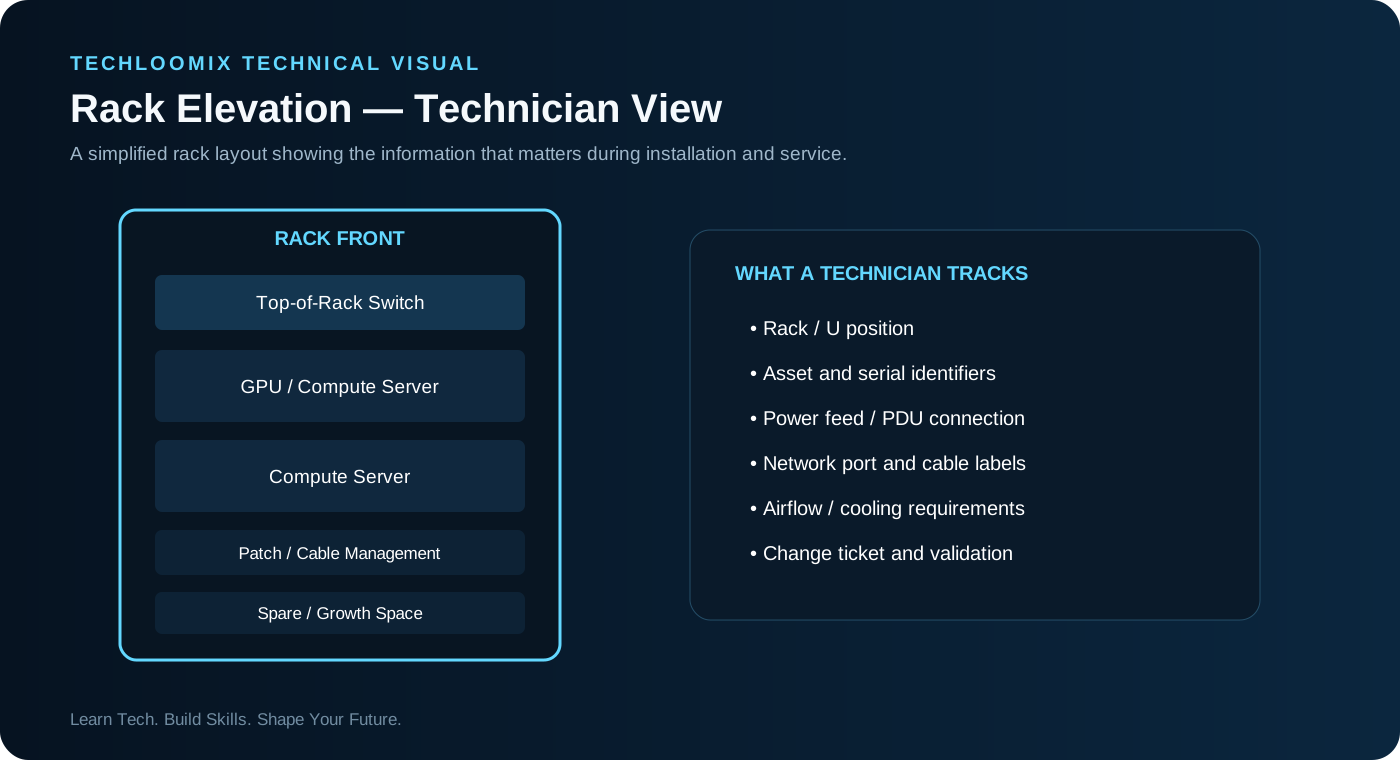
Learn racks, servers, switches, patch panels, PDUs, hot/cold aisles, asset labels, structured cabling, ESD controls, access rules, maintenance windows, change procedures, and escalation paths.
Build hardware confidence
Identify server components and field-replaceable parts. Learn the difference between observing a fault and being authorized to replace a component. Good technicians follow platform and site procedures rather than improvising.
Learn the network layer
Know IP addressing, subnet masks/prefixes, gateways, DNS, DHCP, VLAN concepts, switch ports, link lights and basic connectivity tests. Many “server” incidents are actually cabling or network-path problems.
Learn fiber and structured cabling
Understand single-mode vs multimode, connector types, polarity, cleaning, bend radius, labeling, patch paths, optics and basic link validation.
Think in tickets
A professional ticket records impact, asset/location, symptom, observations, tests, evidence, actions, validation and escalation. Documentation is part of the technical work.
Prepare for shift operations
Data centers can involve 24/7 coverage, handoffs, competing priorities and strict change control. Practice concise status updates and clean shift handovers.
HANDS-ON LAB
Hands-on lab: rack-to-network troubleshooting simulation
- Draw a rack with one server, one top-of-rack switch, a patch panel and upstream connection.
- Assign labels to the server NIC, cable, patch-panel port and switch port.
- Create a “link down” scenario.
- Work from physical checks to link state, addressing, VLAN/gateway context and escalation.
- Write the ticket update you would send after restoring service.
TROUBLESHOOTING WORKFLOW
NEXT STEP
Practice. Document. Explain.
Reading creates familiarity. Hands-on work plus clear documentation creates evidence of skill.