
CAREER STARTER
How to Start an IT Career With No Experience
A job-ready roadmap for choosing a realistic IT path, building fundamentals, creating hands-on proof, preparing for interviews, and applying before you feel perfect.
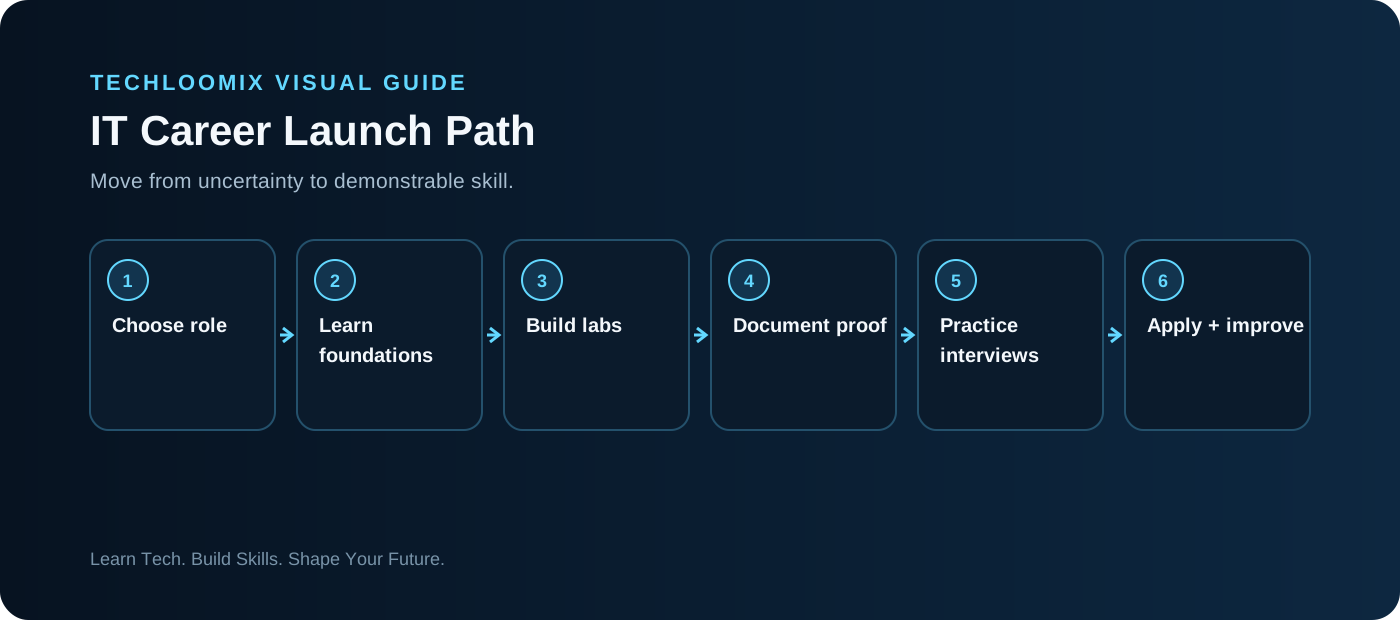
A PRACTICAL ENTRY PATH
Step 1 — Choose one target role
Do not begin with “learn IT.” Begin with a job. IT support, data center technician, junior network technician, SOC analyst, and cloud support require overlapping foundations but different proof of skill. Pick one primary target for the next 30–60 days.
Step 2 — Build the common foundation
Learn computer hardware, Windows and Linux basics, IP addressing, DNS, DHCP, accounts and permissions, command-line troubleshooting, security fundamentals, and professional ticket documentation.
Step 3 — Build hands-on proof
Complete small labs that produce evidence: configure a network, create users and permissions, troubleshoot a broken service, inspect logs, or deploy a small cloud resource. Record what you changed and why.
Step 4 — Add a certification only when it helps
Use certifications to structure learning or satisfy recurring job requirements. Avoid collecting credentials without practical work. A+, Network+, Security+, CCNA, AWS, and Microsoft credentials support different paths.
Step 5 — Turn labs into a portfolio
For every strong lab, show the objective, simple diagram, configuration, failure or challenge, troubleshooting steps, result, and lessons learned.
Step 6 — Prepare to explain troubleshooting
Use a repeatable interview structure: clarify the symptom → determine scope → check fundamentals → test one hypothesis at a time → validate → document → escalate when required.
Step 7 — Apply and iterate
Apply to realistic roles while learning. Track which requirements repeatedly block you, then use those patterns to decide what to study next.
HANDS-ON LAB
Hands-on lab: diagnose a broken client connection
- Create two virtual machines or use two lab devices on a private lab network.
- Record each device's IP address, subnet/prefix, gateway and DNS settings.
- Introduce one safe misconfiguration in the isolated lab, such as an incorrect gateway.
- Define the symptom before changing anything.
- Test local configuration, peer reachability, gateway reachability and name resolution.
- Fix the configuration and prove the service works.
- Write a short incident note describing symptom, cause, fix and validation.
TROUBLESHOOTING WORKFLOW
NEXT STEP
Practice. Document. Explain.
Reading creates familiarity. Hands-on work plus clear documentation creates evidence of skill.